Teacher Suite
Eight AI tools for teachers that live inside each institution's virtual campus. A full redesign with an explicit thesis — and the hardest constraint I've designed under: the screen isn't mine.
⌐ THE DEMOS ARE INTERACTIVE RECONSTRUCTIONS — THE REAL PROTOTYPE IS AT THE END OF THE CASE
The teacher never leaves their campus. Neither can the product.
The suite meets teachers where they already work: inside their course, in their institution's LMS. That's where they prep classes, generate material and follow their students, all with AI.
The previous version organized all of that as a menu of cards: eight options, pick one. It worked as a catalog. It didn't work as a workplace.
The home isn't a menu, it's a dashboard.
The redesign started by changing the question: not "which tool does the teacher want to open?" but "what does the teacher need when they walk in?". Everything else followed from that thesis:
- A greeting with real context: the product knows the course, the section and the moment in the term, because it lives inside the LMS. Using that is basic courtesy.
- A conversational hero: the center of the home is a direct chat field, not one more card. It mirrors the product's real architecture: AI is the backbone, not an option in the catalog.
- Shortcuts with context: suggested prompt chips based on the course and the week.
- The eight tools stay visible as cards: discoverability isn't sacrificed, it's reordered.
- History moved into the navigation: it's navigation, not content.
What I decided not to bring to the home.
The obvious temptation was filling the dashboard with charts: the product has usage metrics and reports, and chart-heavy dashboards sell themselves. I said no, and I documented it. Metrics live in their own tool; the home only surfaces a brief alert when something needs attention.
Eight tools: one assistant and seven shortcuts.
The suite isn't eight loose tools: the Instructional Assistant is the backbone, and the rest are shortcuts into specific flows of that conversation. Each one solves a concrete teacher job without them having to know how to ask the chat for it. And they feed each other: the report suggests an action, Doc generates it, and the resource stays in the library.
Designing in 1188 × 677 pixels I don't control.
Embedded in the course, the product lives in a frame the LMS decides. On a typical laptop that leaves 1188 × 677 real pixels, with the campus navigation wrapping it on two sides. That's the canvas, and it changes when the host collapses its own menus.
- I built a simulator of the environment: a replica of the LMS interface that wraps the prototype and shows the real available dimensions live. Designing against the real frame, not an idealized canvas.
- The responsive behavior derives from the host: breakpoints replicate how the campus collapses its own interface. Inside, the layout settles on its own, no rules of mine fighting the host's.
Two brands in one product, solved by rule.
Living in someone else's house is also an identity problem. Inside the tool, the product's brand rules: the teacher knows what they're using. On the material that goes out to the student, the institution's name and color. The business rule underneath: the institution signs its material, not its vendor.
Eight tools, a manual and specs ready for backend.
The redesigned suite ships with its own interactive manual for the end teacher. Every tool has a spec with the same structure: what it does, how you get there, states, design decisions and what's pending for backend.
A mirror, with its cost accepted.
Reports and Metrics are a deliberate mirror of the Institutions Dashboard: those views have a single canonical owner, and the suite trims them to what a teacher needs to see. The cost is keeping the mirror in sync: re-syncing has its own written procedure, drafted after one pass left four corrections behind.
The real prototype, view by view.
The demos above are reconstructed to tell the design story. This is the prototype exactly as it runs, including the Canvas simulator it's built in, with synthetic data. Click to open large.
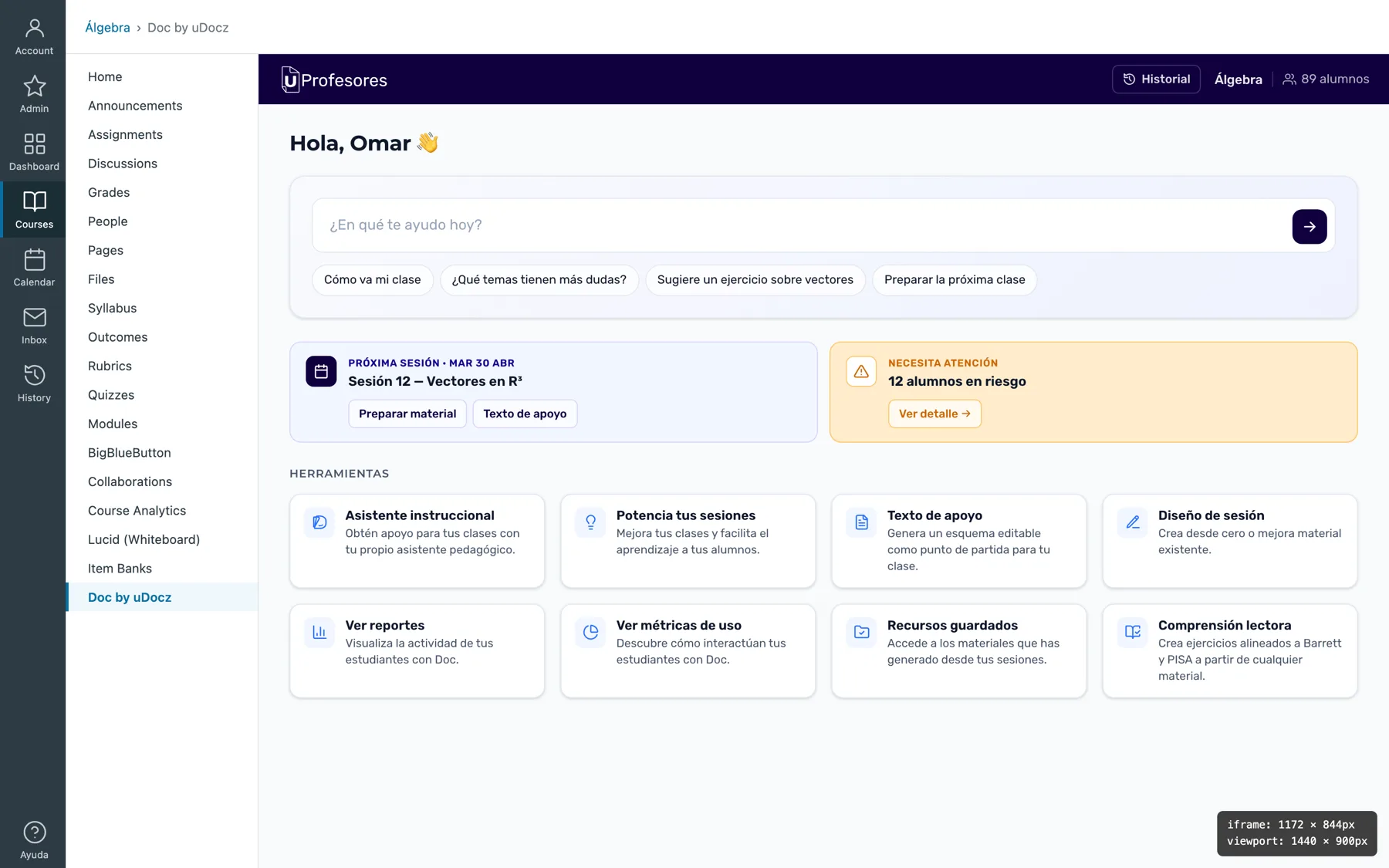 THE REAL CANVAS — INSIDE CANVAS, WITH THE IFRAME MEASURED LIVE
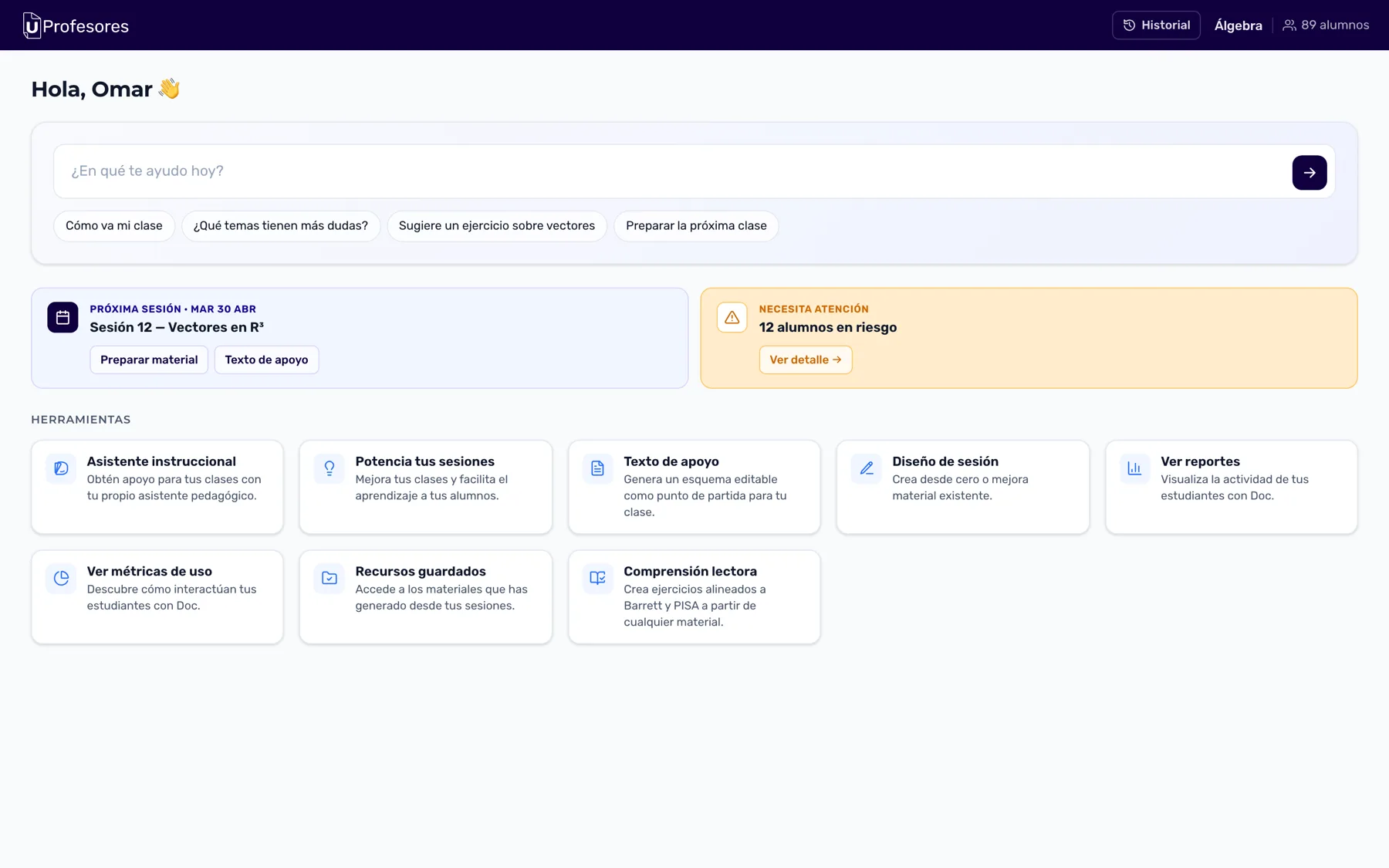 THE HOME — AN ACTION DASHBOARD, NOT A MENU
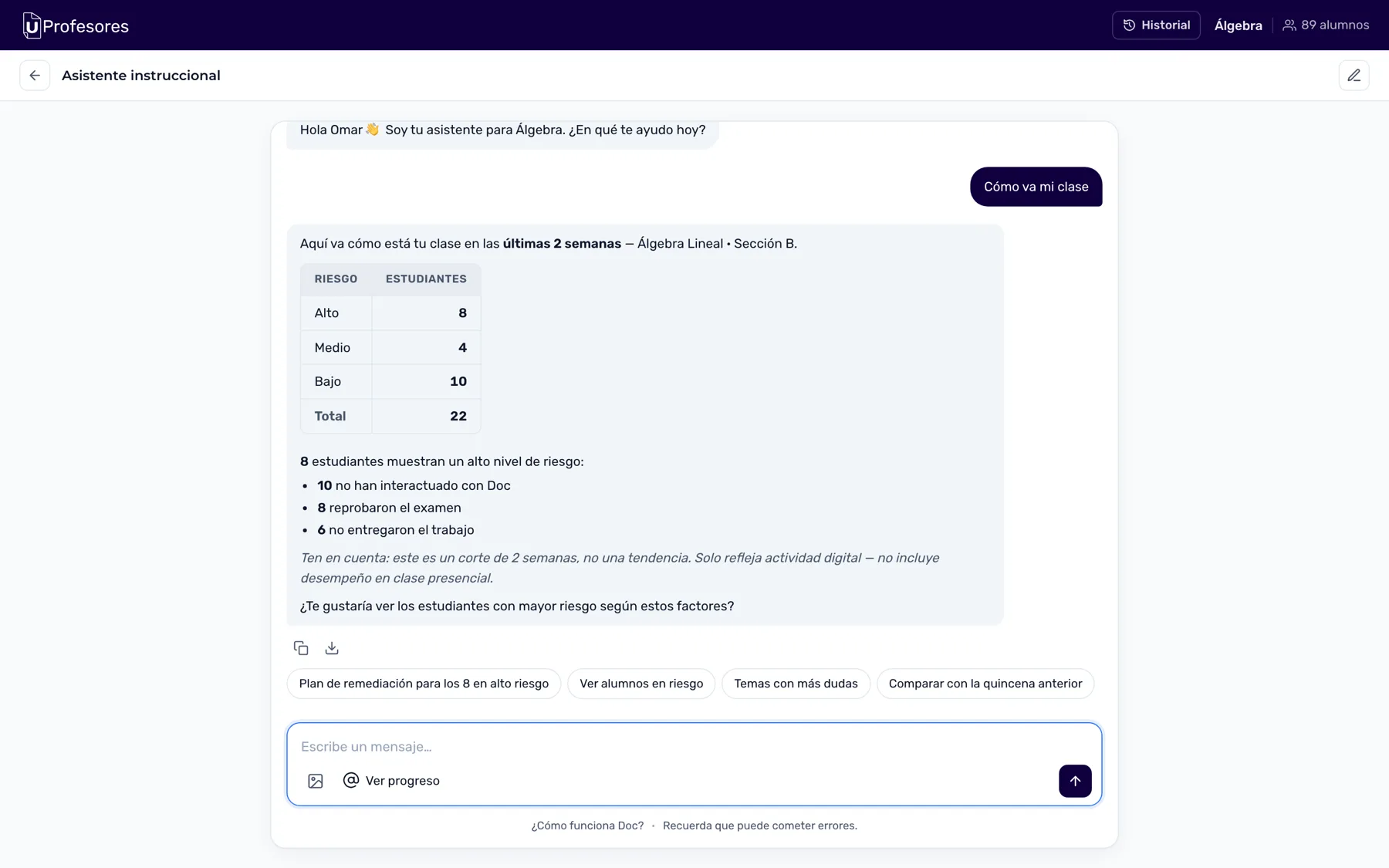 INSTRUCTIONAL ASSISTANT — "HOW IS MY CLASS GOING?"
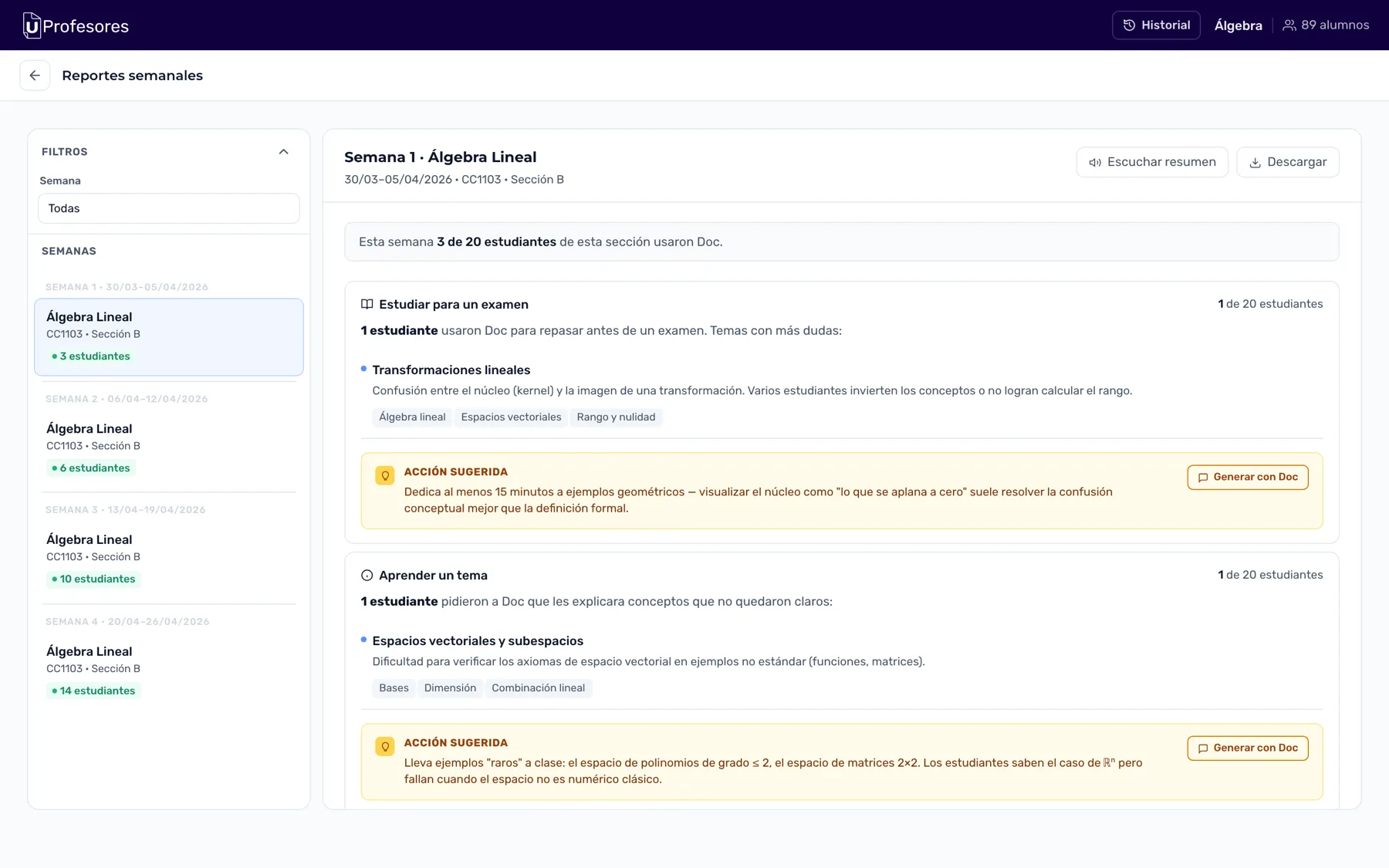 REPORTS — TOPICS WITH QUESTIONS AND A SUGGESTED ACTION
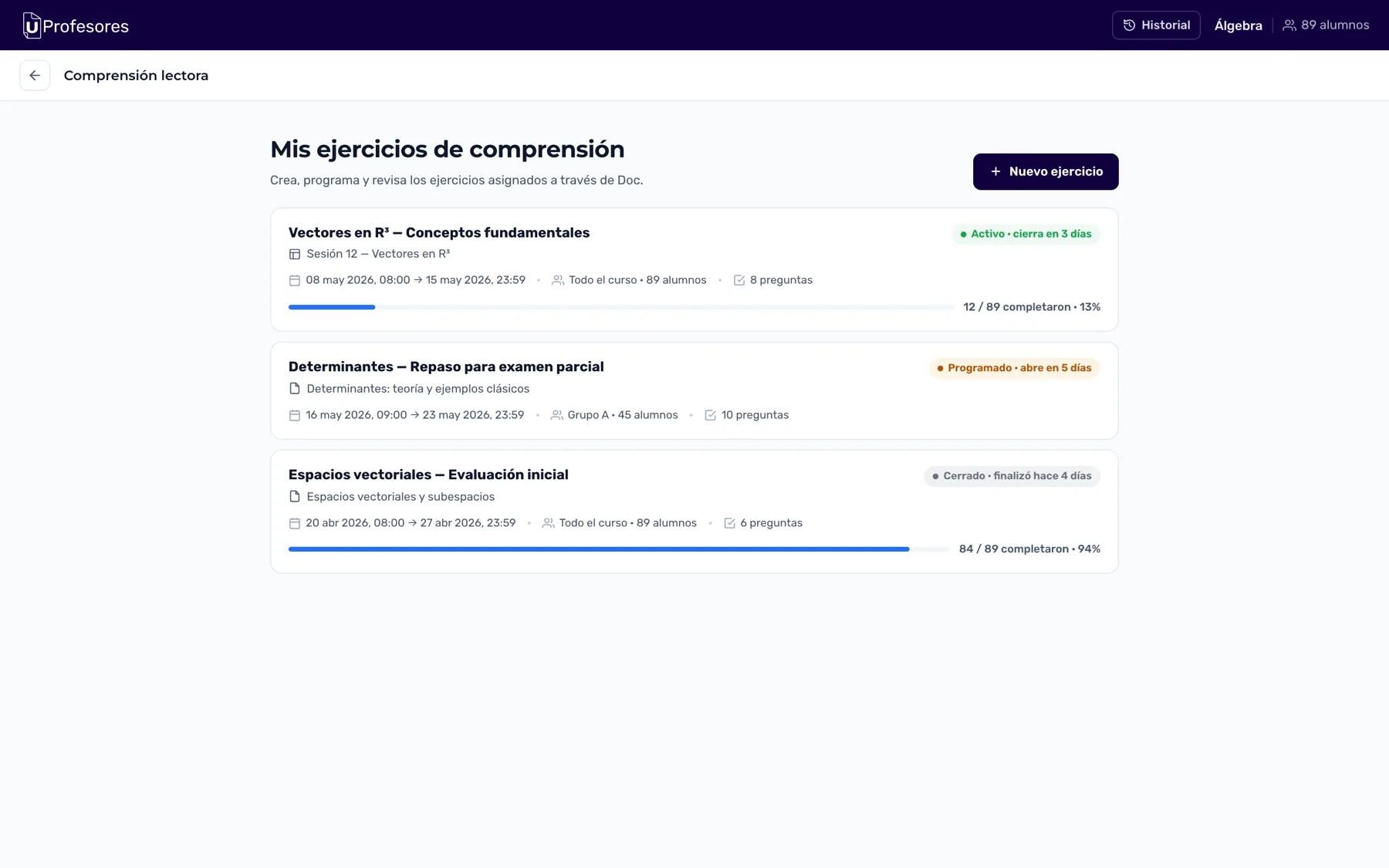 READING COMPREHENSION — EXERCISES AND THEIR LIFECYCLE
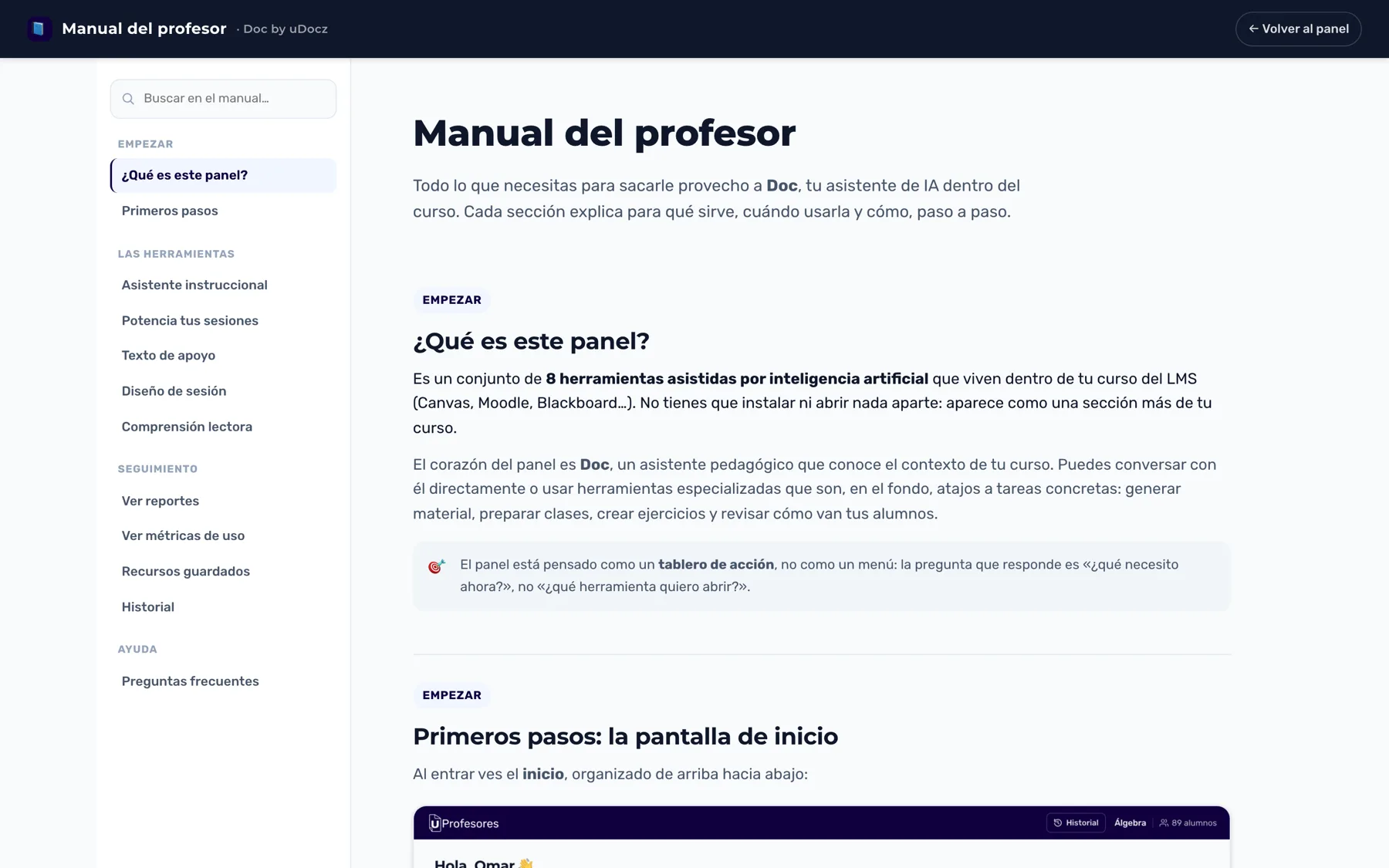 THE MANUAL — EVERY TOOL, EXPLAINED STEP BY STEP